

QuantShare is the most complete and advanced trading solution. More than 20 tools including Charting, Backtesting, Optimizing, Composites… and much more.


Software Introduction
Quantshare is a desktop application that allows traders to monitor and analyze the market. You can display charts, add indicators, create watchlists, create trading strategies, backtest these strategies, create portfolios based on these strategies.
QuantShare is suitable for all levels of traders and it works with U.S. and International markets.
It is not only a stock trading software. It can be used by Forex, Futures, Options and ETFs traders.
QuantShare is for traders and investors who want to:
- Create and analyze charts, studies, indicators
- Create and backtest trading strategies
- Analyze data and perform quantitative research
- Create watchlists and screens
- Download and import trading data
- Create portfolios and generate buy and sell signals
- Create neural network models
With QuantShare trading software you have access to trading items shared by our members. This includes data downloaders, watchlists, trading systems, custom drawing tools… (+600 items).
Software Benefits
- Works with any US and international markets (stock, forex, options, futures, ETF…)
- Offers you the tools that will help you become a profitable trader
- Allows you to implement any trading ideas
- Exchange items and ideas with other QuantShare users
- Our support team is very responsive and will answer any of your questions
- We will implement any features you suggest
- Much more features than the majority of other trading software
- You can download scripts, trading indicators, trading systems… from the sharing server
- Artificial intelligence optimization of trading systems, list of rules, ranking systems and neural network prediction items
- Build trading systems using rules, ranking systems, composites, neural network models, money management techniques, and optimize the whole thing using GA or PBIL algorithms
Software Features
- Advanced charting with a bunch of features, full array of line drawing tools, +150 technical indicators…
- Create advanced watch-lists that auto-update when the trading software detects new quotes
- While most trading software programs offer a database that can store quoted data, QuantShare allows you to create any number of historical and intraday databases. You can store any data in these databases (Call-Put ratios, News, Dividend & Split data, Short Selling data, Fundamental data, Insiders data…), and use this data in charting, analysis, backtesting…
- Features includes:
- Charting
- Multiple Accounts and Databases
- +25 Drawing Tools
- +300 Technical Indicators
- Custom Trading Indicator
- Custom Drawing Tools
- Watch-Lists
- Composites
- Advanced Downloader
- Global Scripting Tool
- Task Manager
- Sharing Server
- Dashboard Screens
- Pivot Tables
- Screener
- Simulator/Backtester
- Portfolio Plug-In
- Advanced Money Management
- Rules Analyzer
- Ranking System Analyzer
- Genetic Algorithm and PBIL Optimizers
- Neural Network Prediction Plug-in
- Portfolio123 Plug-in
- News/Data Plug-in
Who Is This Course For?
- Traders who trade in many different markets.
- Traders who want to take advantage of technology.
QuantShare
Please Login/Register if you want to leave us some feedback to help us improve our services and products.
RELATED COURSES
VIEW ALL
-
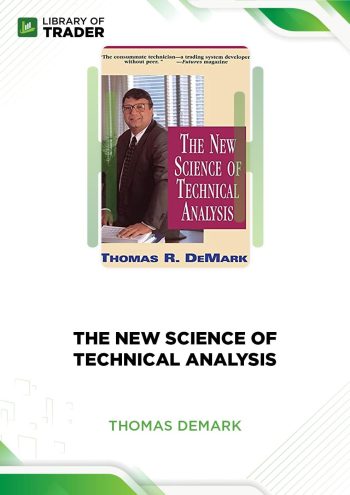 The New Science of Technical Analysis – Thomas R. DeMarkDOWNLOADThe New Science of Technical Analysis – Thomas R. DeMarkUpdate 15 Nov 2022All LevelsDOWNLOAD
The New Science of Technical Analysis by Thomas R. DeMark sheds light on practical investment strategies that help you obtain higher profits and undertake lower risks.
Add to wishlist -
 High Frequency Trading – Simpler Options – John CarterDOWNLOADHigh Frequency Trading – Simpler Options – John CarterUpdate 07 Nov 2022All LevelsDOWNLOAD
You can obtain a trade with precision and a substantial amount of profit on a consistent interval through High Frequency Trading by Simpler Trading.
Add to wishlist -
 Technical Analysis Classes – Options UniversityDOWNLOADTechnical Analysis Classes – Options UniversityUpdate 06 Nov 2022All LevelsDOWNLOAD
Technical Analysis Classes by Options University just simply teaches you the tips and the tools that can be interpreted into a fortune if done the right way.
Add to wishlist -
 Heard on the Street: Quantitative Questions from Wall Street Job Interviews by Timothy Falcon CrackDOWNLOADHeard on the Street: Quantitative Questions from Wall Street Job Interviews by Timothy Falcon CrackUpdate 21 Nov 2022All LevelsDOWNLOAD
Heard on the Street by Timothy Falcon Crack sheds light on the quantitative questions from Wall Street Job interviews. So, you can better prepare for the interview and realize your dream of becoming a wolf of Wall Street.
Add to wishlist -
 Irek Piekarski – Master Class TradingDOWNLOADIrek Piekarski – Master Class TradingUpdate 09 Nov 2022All LevelsDOWNLOAD
The collection of key terminology and definitions provided by Master Class Trading is a good place for new traders to begin their stock trading career.
Add to wishlist -
 Ezee Day Trading – EzeetraderDOWNLOADEzee Day Trading – EzeetraderUpdate 08 Nov 2022All LevelsDOWNLOAD
This course goes into enough length to discuss our trading fundamentals, money management, risk management, and a variety of other topics. After finishing this course, the learner will be able to look at any financial market in a new light.
Add to wishlist


Reviews
There are no reviews yet.